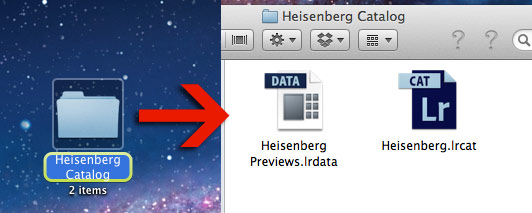
Catalogs are the backbone of managing photos in Lightroom. They contain all of our editing data, holding basically everything that we need to get RAW images to our clients! Managing multiple catalogs can get to be a lot of work, so today I want to take a look at how to combine catalogs.
Personally, I keep a lot of catalogs. Sometimes it gets to be a lot to handle, and I want to consolidate! So let’s say that we have a situation where we have two separate catalogs, and we want to combine them. We’re going to use Lightroom’s “Import from Catalog” feature to do that.
The best way that I can explain these things is to relate it to my own workflow. Let me tell you how I manage my weddings.
Each wedding is going to get its own catalog. I do this because weddings are huge! It doesn’t make sense to have to go through a wedding I shot six months ago all while editing last week’s wedding.
However, it’s also really handy to flip through all of my wedding photos at the same time! As I’m sure you know, it takes a few seconds to close down one Lightroom catalog and open up another, and when I need to pull the best images for portfolio or marketing purposes, it really helps to be able to have all of my images in one catalog.
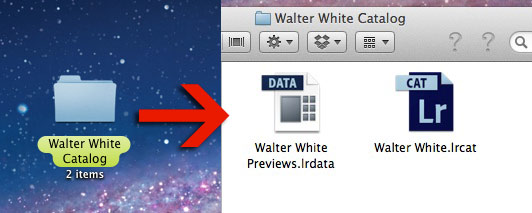
So what I do is edit an entire wedding, then plan on “pushing” that catalog into the big catalog. We’ll call this the Wedding Master catalog. Each catalog that we merge into it is a smaller catalog.
To visualize, this is how I like to run my catalog system:
(image here)
There’s one quick note that we need to be aware of: these catalogs don’t stay synced. Let’s say that we merge a smaller catalog into a master catalog. At that moment, all of our settings are migrated. That includes all of our exposure and color adjustments, stars or tags we’ve applied, etc. However, if we go back and make changes to the smaller catalog, it doesn’t update those changes in the master catalog.
Wrapping Up
Juggling tons of catalogs can be a lot of work when you need to pull the cream of the crop. Although I use separate catalogs to protect my data when editing weddings, missing out on the power of consolidated catalogs is ignoring much of the power of Lightroom.